

Try asking HubSpot what your pipeline looked like 60 days ago. In standard reporting, you can’t. The deal board is a live snapshot. It shows you every open deal, its stage, amount, and owner, exactly as things stand right now. Ask it about March 1st, or the start of last quarter, or the day before that six-figure deal slipped to next quarter, and you’ll come up empty.
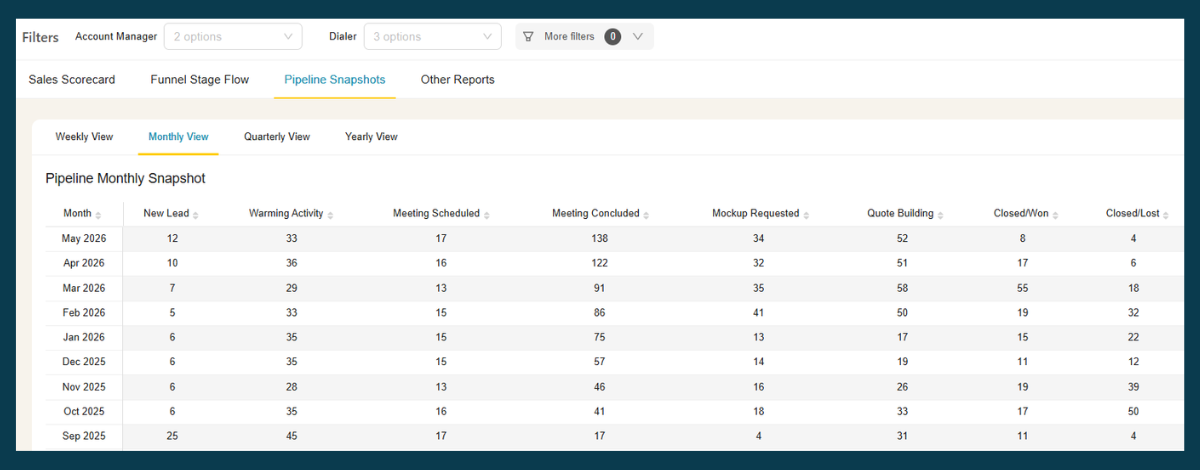
See your HubSpot pipeline as it looked on any past date — automatically. BlinkMetrics captures a daily snapshot of your pipeline, so the history HubSpot never stored is there when you need it:
- Automatic daily snapshots of every deal’s stage, amount, owner, and expected close date
- Set the date filter to any past day and read the pipeline exactly as it stood then
- Compare two dates — quarter start vs. quarter end — for board decks, QBRs, and forecast reconciliation
→ See your pipeline at the start of last quarter — book a 1:1 with our founder, Nathan
The rest of this post explains why HubSpot works this way, the manual workarounds RevOps teams use, and where they break down.
Why historical pipeline data matters
Most pipeline questions aren’t about right now. They’re about explaining what happened.
Forecast reconciliation is the clearest example. You forecasted $400k closing last quarter. $250k actually closed. To understand why, you need to see which deals were in the pipeline at the forecast date, which ones slipped, and which ones fell out entirely. HubSpot can tell you what closed; it can’t show you what was supposed to close.
Board and investor reporting requires comparing pipeline at two points in time. “Pipeline grew 35% this quarter” only means something if you can show what the pipeline was at the start of the quarter. Pulling that number from memory or a static report screenshot is not a reliable process.
Quarterly business reviews typically compare this quarter against last quarter across several dimensions: pipeline volume by stage, average deal size, conversion rates, velocity. All of these comparisons require knowing what the pipeline looked like at both points in time, not just today.
Deal velocity analysis depends on snapshots. To understand how long deals spend in each stage, you need to track stage assignments over time. Current-state data tells you where deals are; historical data tells you how they got there and how long each leg took.
Why HubSpot doesn’t show it
HubSpot doesn’t expose a fully queryable historical pipeline timeline in its default reports. The underlying data isn’t gone. Property history, date-entered-stage, date-exited-stage, and time-in-stage metrics are all tracked, and enterprise tiers get some historical snapshot reporting through Sales Analytics. But there’s no straightforward way in the standard report builder to ask “which deals were in Proposal 60 days ago” and get a clean answer back. Reconstructing arbitrary historical pipeline states across all your deals isn’t something HubSpot’s reporting layer is built to do out of the box.
For day-to-day deal management, this is fine. For forecast reconciliation, board reporting, and QBRs, it’s where the trouble starts. You can’t easily compare this quarter’s Proposal-stage pipeline to last quarter’s using default reporting. You can’t show leadership how the forecast evolved week over week without stitching the data together yourself. And when a deal slips, reconstructing exactly when it started slipping means digging through property history one deal at a time.
What HubSpot’s pipeline reporting actually shows
HubSpot gives you useful deal reporting within its current-state model:
- Deal board: Open deals organized by stage, filtered by pipeline and owner
- Deal reports: Total deal value, count by stage, close date, and rep; filterable by time period
- Closed Won reports: Deals that closed in a given period, with associated properties
- Funnel reports: Stage conversion rates based on deals that have moved through stages
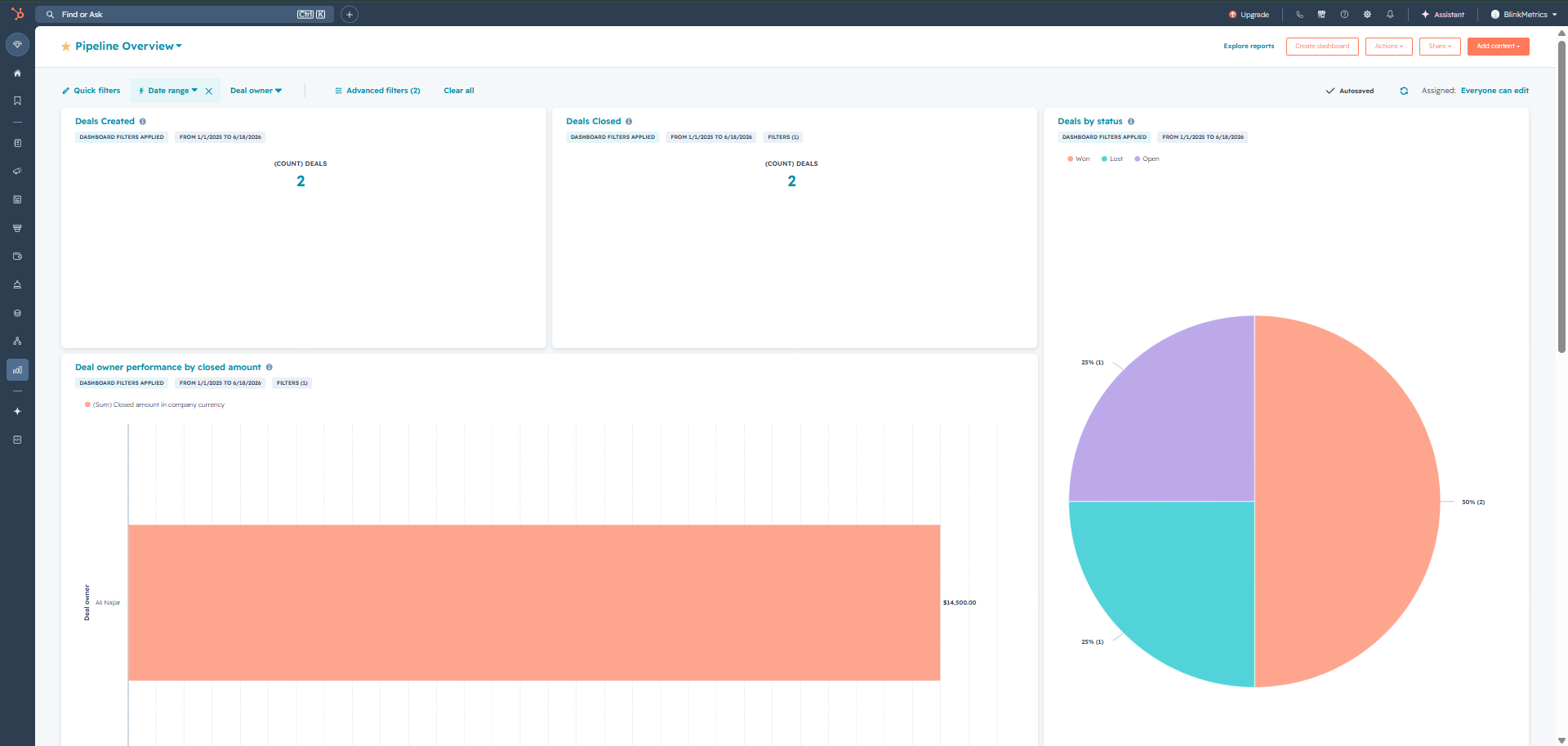
Where HubSpot falls short is any question that requires a point-in-time view. A “deals closed in Q3” report tells you what closed. It doesn’t show you what was open at the start of Q3 or what the conversion rate was for deals that entered in Q3.
HubSpot’s community forum has several active, multi-year feature requests for pipeline snapshots. It’s a well-documented gap, not an edge case.
How to get a historical pipeline view from HubSpot
There are two approaches. One is manual and requires ongoing discipline. The other uses a reporting tool to automate the snapshot process.
Manual pipeline snapshots
Some teams take a manual snapshot at the start of each month or quarter: export the current deal list from HubSpot (all open deals, with stage, amount, owner, and expected close date) and save it in a dated spreadsheet tab or file. Over time, this produces a historical record you can reference.
This works if the process is consistent. The problems are:
- Someone has to remember to do it on a fixed schedule
- If a snapshot is missed, that period’s data is gone
- Comparing two snapshots requires manual spreadsheet work
- The data is static. You can’t filter or slice the historical snapshot the same way you’d filter a live report
Automated pipeline snapshots with a reporting tool
A reporting tool that connects to HubSpot and stores periodic snapshots of deal state can reproduce the pipeline as it looked on any past date.
BlinkMetrics stores point-in-time snapshots of your HubSpot pipeline automatically. Set the date filter to any past date and the dashboard shows which deals were open on that day, their stage, amount, owner, and expected close date at the time.
A practical use case: you’re preparing a board update for Q2. Set the date to April 1st and you see the pipeline as it stood entering the quarter. Set the date to June 30th and you see how it looked at close. Compare the two views to show how pipeline moved, what closed, and what slipped. All of this without exporting anything or maintaining a spreadsheet.
Want to see what your pipeline looked like at the start of last quarter? Let’s take a look.
What you can do with historical pipeline data
Once you have point-in-time snapshots, several analyses become straightforward:
Pipeline comparison across periods
| Metric | Q1 start | Q1 end | Change |
|---|---|---|---|
| Open deals | 42 | 38 | -4 |
| Total pipeline value | $820k | $710k | -$110k |
| Deals in Proposal stage | 12 | 9 | -3 |
This kind of table is easy to build when you have snapshots of both dates. Without them, it requires piecing together close dates and guesses.
Slippage analysis: Compare deals that were in the pipeline at the start of a period against what actually closed. Deals that were in the pipeline but didn’t close either slipped to a future period or fell out entirely. Seeing this pattern consistently for certain deal types or reps is useful for adjusting how you weight forecast commitments.
Stage velocity: How long do deals spend in each stage, on average? Snapshot data lets you track when a deal entered each stage and when it moved, then aggregate across all deals to get real stage duration numbers, not estimates.
Pipeline value over time: A chart that shows total open pipeline week by week surfaces declines before they show up in closed revenue. If pipeline starts dropping in week 6 of a quarter, that shows up in results 8–12 weeks later. With historical data, you can see these patterns earlier.
Frequently asked questions
Can HubSpot show historical pipeline data?
No. HubSpot’s pipeline view always reflects the current state of your deals. There’s no native way to ask what deals were in a given stage on a specific past date. Once a deal moves stages or closes, HubSpot doesn’t provide a way to view the pipeline as it was before that change. Several community requests for this feature have been open for years without a native solution.
How do I see what deals were in my HubSpot pipeline last month?
The manual approach is to export your open deal list on a regular schedule and save it with a date stamp. If you haven’t been doing this, that historical data isn’t available in HubSpot. Going forward, a reporting tool like BlinkMetrics that stores automatic snapshots will let you answer this question for any past date without maintaining manual exports.
What is a pipeline snapshot?
A pipeline snapshot is a record of your pipeline state at a specific point in time: which deals were open, what stage they were in, their amounts and owners. HubSpot doesn’t store these automatically. You either create them manually (by exporting and saving the deal list on a fixed schedule) or use a reporting tool that creates and stores them automatically.
How do I reconcile my sales forecast against actual results in HubSpot?
You need three data points: what was in the pipeline at the forecast date, what closed in the forecast period, and what slipped out. HubSpot can tell you what closed (Closed Won deals with a close date in the period), but not what was in the pipeline at the start or what slipped. A historical pipeline view fills in the gaps: you compare the snapshot at forecast date against actual closes to see exactly what changed.
Can I see how my HubSpot pipeline changed over time?
Not with native HubSpot tools. You can see deal activity history at the individual deal level, but there’s no aggregate view of how total pipeline value or stage distribution changed week over week. A reporting tool that stores pipeline snapshots can produce this view: a chart of pipeline value and stage composition over any time range you specify.